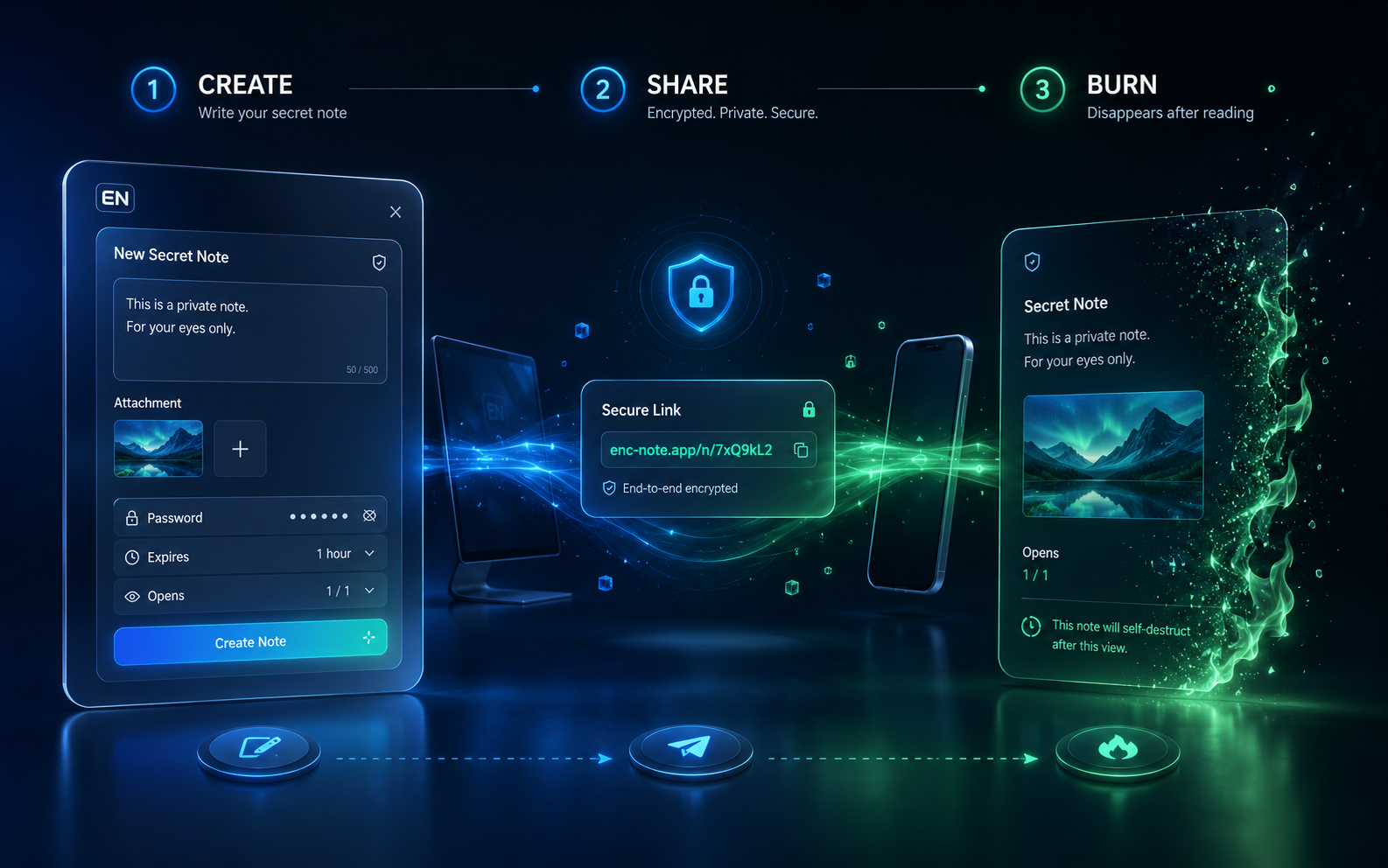
Share privately
Generate a unique link and send it to whoever needs access.
Enc-Note lets you create secret text and image messages with expiration, optional passwords and a controlled number of successful openings.
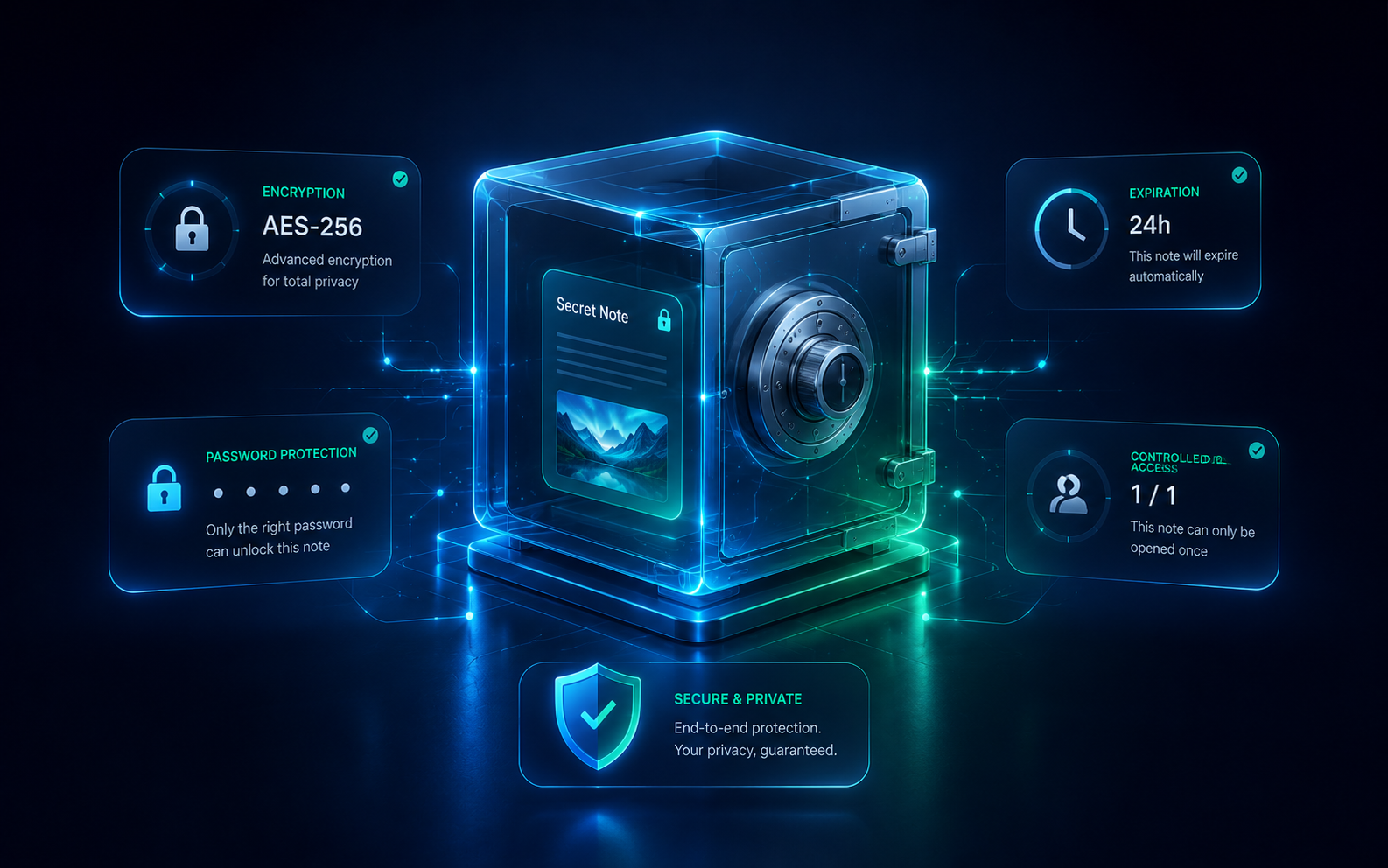
Secret note
Waiting to be opened
What is Enc-Note?
Create a private link containing a message, an image, or both. Decide when it expires, whether a password is needed and how many successful openings the link should allow.
Generate a unique link and send it to whoever needs access.
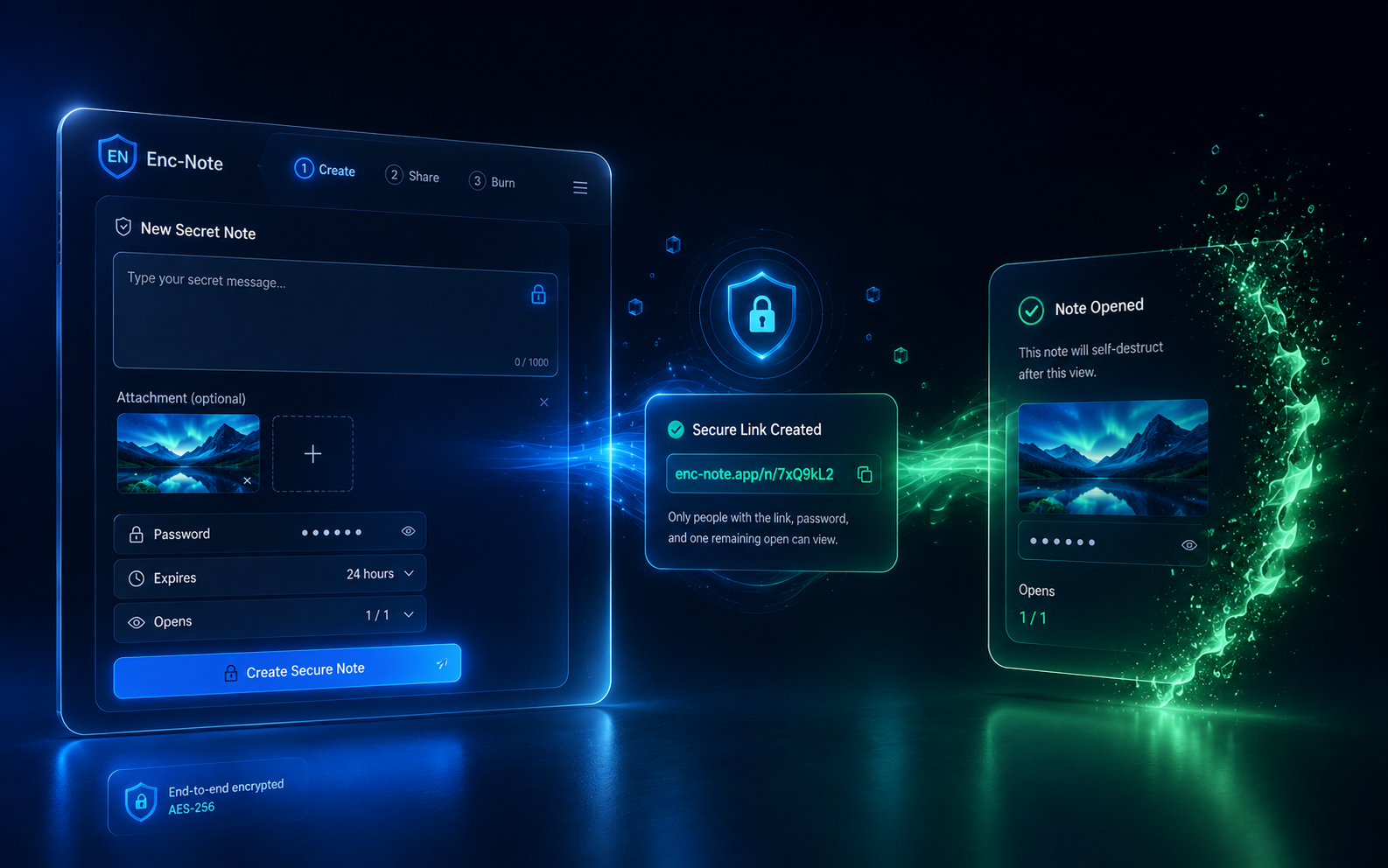
Add a password, expiration time and maximum successful openings.
When the allowed opens are consumed or the note expires, the recipient can no longer access it.
Built around control
Write a private message and deliver it through one controlled link.
Attach an image and keep it behind the same note access rules.
Add another access requirement whenever you need it.
Allow 1, 5, 10 or other configured maximum successful openings.
Set how long the note remains available.
Use your private status link to see opening progress.
Recipients can use the secure link directly.
Designed for phones first, while remaining polished on larger screens.
How it works
Add your text, image, expiration, password and maximum number of successful openings.
Send the recipient link. Keep the separate status link somewhere private for yourself.
A successful opening consumes one slot. Once the limit or expiry is reached, access ends.
FAQ
Enc-Note is a private sharing tool for temporary text and image messages controlled by expiration, passwords and maximum successful openings.
The note becomes inaccessible when its expiration is reached or its allowed successful openings are consumed.
Yes. A note can contain only an image, only text, or both.
It counts successful openings, not unique people. For example, a note configured for five openings can be successfully opened five times in total.
Yes. Enc-Note creates a private status link for the sender showing opening progress and timing information without exposing the secret content.
No. The recipient uses the secure note link directly.